
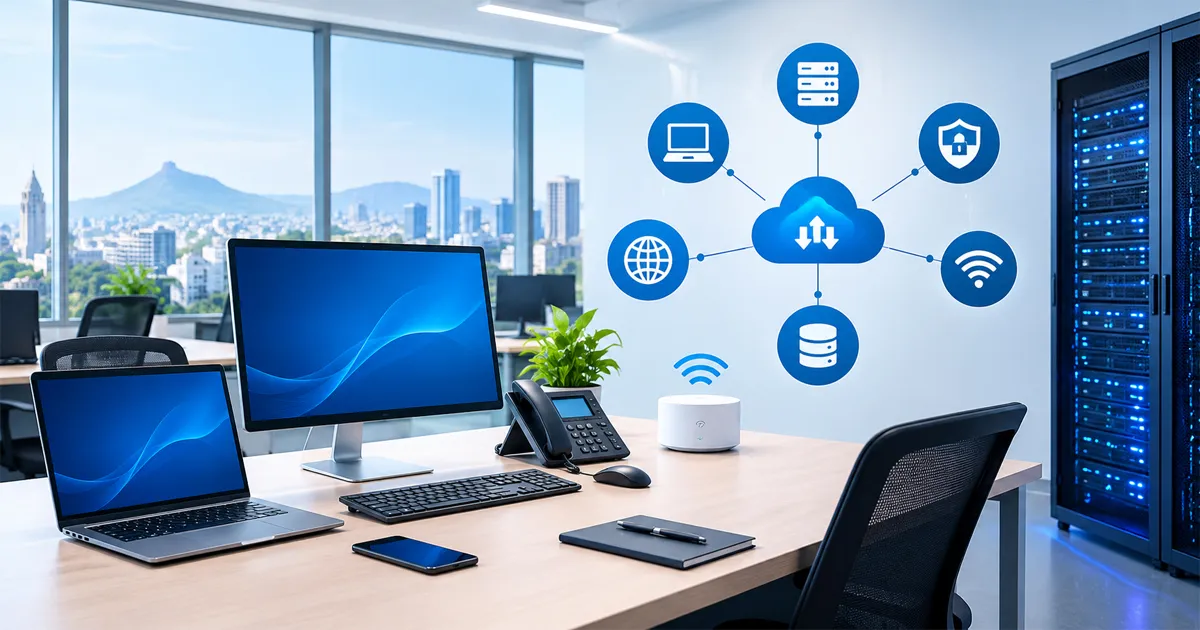
How to Plan IT Infrastructure for a New Office in Pune
Setting up new office involves more than selecting location that arranging furniture & hiring employees. Businesses needs reliable IT infrastructure that allows employees to work efficiently, communicate securely, access business applications & protect important company data.
Whether you are opening new office in Pune and expanding your existing workplace, relocating your business or establishing branch office, planning your IT infrastructure before employees move in that can help to avoid installation delays, unnecessary expenses & operational problems.
A planned office IT setup include computers, laptops, business networking, Wi-Fi, internet connectivity, firewalls, servers, cloud applications, data backup, cybersecurity & ongoing IT support.
But where should business start? Which equipment is actually required? Should you use cloud services or an on-premises server? How should you plan the network? And when should you involve an IT infrastructure company?
This Article explains how to plan IT infrastructure for new office in Pune with practical checklist that business owners, office administrators, IT managers & project teams can use before office becomes operational.
What is IT Infrastructure for New Office?
IT infrastructure refers to technology, equipment, systems & services that required to operate business's digital environment.
Depending on the organisation's size & requirements new office IT setup get includes:
- Desktop computers, laptops & workstations
- Internet connectivity & business networking
- Network switches, routers & Wi-Fi access points
- Firewall & endpoint security
- Servers & storage systems
- Cloud applications & cloud infrastructure
- Business email & collaboration tools
- Printers & shared peripherals
- Data backup & disaster recovery
- User accounts & access management
- Software licensing & updates
- IT monitoring, maintenance & technical support
Not every business needs all these components. A small office that uses cloud-based applications that operate without dedicated physical server, while larger organisation need server infrastructure, specialised networking, centralised security & more extensive support.
The objective is to design an IT environment that meets your business requirements today & can accommodate future growth.
Step 1: Understand Your Business Requirements
Before purchasing computers or networking equipment, understand how your employees will use technology. Start by discussing requirements with department heads, office administration & the people responsible for business operations.
Identify the number of employees
Estimate how many employees will work from new office. For example business opening an office for 20 employees will have different hardware, network & support requirements from an organisation setting up 100 person workplace. Consider both current & expected staffing levels over next two to three years. This helps you to avoid buying too much equipment initially or designing an infrastructure that becomes inadequate soon after office opens.
Identify applications employees will use
List the main applications required by each department. Examples include bellow:
- Email & office productivity applications
- Accounting & finance software
- Customer relationship management systems
- Enterprise resource planning applications
- Engineering & design software
- Business intelligence tools
- Video conferencing applications
- Cloud based business applications
- Industry specific software
Application requirements influence computer specifications, internet bandwidth, licensing, security & whether local servers are necessary.
Understand how employees will work
Consider whether employees will work from office, remotely or through hybrid arrangement. A hybrid workforce require secure remote access, identity controls, collaboration tools & appropriate endpoint security.
Practical tip: Prepare department wise IT requirement sheet before asking vendors for quotations. It makes scope clearer & helps prevent unnecessary purchases.
Step 2: Prepare an IT Equipment Checklist
Once the business requirements are understood, prepare list of equipment required for new office.
| Equipment | What to plan |
|---|---|
| Desktop computers & laptops | Quantity, configuration & user requirements |
| Workstations | Specialised applications & performance needs |
| Network switches | Number of connected devices & network capacity |
| Router & firewall | Internet connectivity & security requirements |
| Wi-Fi access points | Office layout, coverage & user density |
| Internet connection | Bandwidth, reliability & backup connection |
| Servers & storage | Business applications, local data & workloads |
| Printers & scanners | Departmental & shared printing needs |
| UPS & power protection | Protection for critical equipment |
| Backup systems | Backup destination, retention & recovery needs |
| Collaboration equipment | Meeting room displays, cameras & audio |
| Cables & accessories | Structured cabling, patch panels & connectivity |
The exact equipment list depend on office layout, number of employees, applications, business continuity requirements & available budget. Do not select equipment based only on its purchase price. Compatibility, reliability, support availability, security & expected usage also matter.
If your office needs computers for temporary employees, training program or short term project, consider whether computer & laptop rental services in Pune that is suitable instead of purchasing every device immediately.
Step 3: Plan the Office Network before employees move in
Network planning is one of most important parts of new office IT setup. A poorly planned network can lead to weak Wi-Fi coverage, unreliable connections, difficult troubleshooting & security issues.
Plan structured network cabling
Identify where computers, printers, access points, meeting room equipment & other network devices will installed. Plan cable routes, network points, patch panels & the location of network equipment before furniture & interior work are completed.
Where appropriate use structured cabling so that connections can documented & maintained properly. Coordinate the cabling plan with office interior & electrical teams. Making changes after office is operational can more disruptive & expensive.
Select suitable network switches
The number of network ports should account for computers, printers, wireless access points, servers, meeting room equipment & other connected devices. Allow reasonable capacity for future expansion. Some devices such as compatible Wi-Fi access points & IP phones that require Power over Ethernet (PoE). Confirm these requirements before selecting switches.
Plan Wi-Fi coverage
Do not assume that one wireless router will provide reliable coverage throughout every office. Coverage depends on factors such as:
- Office size & layout
- Walls & other physical obstructions
- Number of connected devices
- Wireless interference
- Meeting room usage
- Expected network traffic
For larger offices or busy workspaces site survey & appropriate access point placement can help to deliver more consistent coverage.
Separate networks where necessary
Depending on your security requirements, consider separate network segments for employee devices, guest Wi-Fi, servers, printers, security equipment & other systems. Network segmentation can help to restrict unnecessary communication between device groups. A guest not automatically have access to internal business systems simply because they connect to the office Wi-Fi.
For network design, implementation & security requirements businesses can review SaiYash's network security services in Pune.
Step 4: Choose the right internet connection
Employees rely on the internet for email, cloud applications, video meetings, customer communication & remote collaboration. Before selecting business internet plan, estimate expected usage. Consider bellow points:
- Number of employees
- Video conferencing frequency
- Cloud applications
- Large file transfers
- Software downloads & updates
- Remote access requirements
- Guest Wi-Fi usage
- Business critical online services
Bandwidth requirements depend on actual usage patterns not employee count.
Consider backup internet connection
If office cannot operate without internet connectivity, evaluate whether second connection from another provider or different access technology is appropriate. A backup connection is useful when failover arrangement is configured & tested.
For critical operations clarify how traffic will switch to backup connection which services will remain available & who will troubleshoot connectivity issues. Also check availability of service support & realistic restoration commitments from internet provider.
Step 5: Decide whether you need servers or cloud infrastructure
A new office not automatically need physical server room. The right choice depends on applications, data, performance, compliance, integration & availability requirements of business.
When cloud services can suitable
Cloud services are useful when business needs:
- Cloud based email & collaboration
- Access to applications from multiple locations
- Flexible computing capacity
- Cloud storage 7 backup
- Reduced dependence on local server hardware
- Support for remote & hybrid working
Cloud services still require proper identity management, access controls, security configuration, backup planning & cost monitoring.
Support when on premises servers required
Some businesses need local or dedicated infrastructure for:
- Legacy applications
- Specific performance requirements
- Local data processing
- Integration with existing systems
- Workloads that require specialised configurations
- Business requirements that favour local infrastructure
Some organisations use hybrid model that combines local infrastructure with cloud services.
How to make decision
Before selecting approach, document applications, dependencies, data volumes, performance requirements, recovery objectives & ongoing support needs. Compare total cost of ownership, including hardware, licensing, maintenance, power, connectivity, administration & cloud consumption.
SaiYash offers cloud integration & data services, server, desktop virtualization services for businesses evaluating infrastructure options.
Step 6: Select right computers & laptops
Computers need to selected according to employee responsibilities & application requirements. A standard office user need different configuration from engineer, designer, software developer or data analyst.
Match hardware to job
Consider the following points when selecting devices:
- Processor performance
- RAM
- SSD capacity
- Display size & resolution
- Graphics requirements
- Battery life for mobile users
- Webcam & microphone
- Connectivity & ports
- Warranty & support
- Operating system compatibility
Avoid giving every employee with same configuration if their work requirements differ significantly. At same time, maintaining manageable range of standard configurations can simplify deployment, maintenance & future upgrades.
Prepare computers before deployment
Before employees start working then ensure that devices have been configured according to company requirements.
This get includes:
- Operating system updates
- Approved software installation
- User account configuration
- Endpoint security
- Disk encryption where appropriate
- Wi-Fi & network configuration
- Access permissions
- Asset tagging & inventory
- Backup or recovery settings where applicable
Keep inventory of each device, its assigned user, serial number, configuration & warranty details.
Step 7: Build security into IT Setup
Cybersecurity included in infrastructure design from beginning rather than added only after office is operational. A new office introduce additional devices, network connections, user accounts, applications & remote access points. Each needs appropriate protection.
Plan firewall & network security
A business firewall can help to control network traffic according to defined security policies. Its configuration reflect company's applications, remote access requirements, network design & security needs. Do not assume that installing firewall alone makes entire network secure. Firewall rules, firmware updates, administrative access, logging & ongoing reviews matter.
Secure employee devices
Establish baseline for desktops & laptops that includes bellow points:
- Supported & updated operating systems
- Endpoint protection
- Security updates
- Strong authentication
- Least privilege access
- Screen lock policies
- Device inventory
- Secure remote access if required
Manage user access
Employees receive access to systems & information needed for their roles. Create process for onboarding, role changes & employee departures. Remove or update access when it is not required. Use multi factor authentication for important business accounts wherever supported, especially administrator accounts & remote access.
Protect guest & business networks
Guest Wi-Fi separated from internal business resources where appropriate. Document network access rules & avoid sharing administrator credentials with multiple employees.
Review security requirements
Businesses with specialised applications, regulated data or more complex environments that need formal security assessment. SaiYash provides cyber security audit services and cybersecurity products & solutions that businesses can evaluate according to their requirements.
Step 8: Plan data backup & disaster recovery
A new office need clear plan for protecting business data before employees begin storing important files. Data loss can result from accidental deletion, hardware failure, malicious activity, software problems or other incidents.
Identify what needs to be backed up
Create list of important data & systems such as:
- Business documents
- Shared files
- Databases
- Business application data
- Server workloads
- Important cloud data
- Configuration files
- Other critical business records
Don't assume that storing information in cloud automatically means every item is backed up that meets your recovery needs. Review backup features & responsibilities of each application or service.
Define recovery requirements
Discuss two important concepts:
Recovery Point Objective (RPO): How much data loss, measured in time, business can tolerate.
Recovery Time Objective (RTO): How long business can tolerate system being unavailable before it needs to be restored.
For example - system that supports critical daily operations that need shorter recovery time than non essential archive. The appropriate targets depend on business impact of losing data or access.
Test the recovery process
A backup is useful only if required data can recovered. Schedule recovery tests, document the results & assign responsibility for investigating failures. Consider backup access controls, retention, separation from production systems & protection against unauthorised deletion. SaiYash data backup & recovery services are relevant for businesses planning backup, recovery & continuity requirements.
Step 9: Arrange power protection & equipment placement
Network equipment, servers & critical communication systems that need suitable physical installation & power planning. Coordinate with electrical & facilities teams before installing IT equipment.
Consider bellow points:
- Adequate power outlets
- Proper earthing
- UPS requirements
- Ventilation & heat management
- Secure equipment placement
- Cable management
- Restricted access to network equipment
- Physical protection of critical devices
The UPS capacity & expected runtime determined from equipment load & time required for safe shutdown or continued operation. Do not think that every device needs same level of power backup. Prioritise equipment according to its business importance. If office uses dedicated server room or network cabinet then make sure that location is appropriate for equipment & that access is controlled.
Step 10: Set up business email, software & user accounts
Hardware & connectivity alone don't make office ready for business. Employees need access to correct applications, email accounts, shared resources & collaboration tools.
Before opening day confirm bellow points:
- Business email accounts are active
- Required software licences are available
- User accounts are created
- Access permissions are configured
- Shared printers are working
- Meeting room equipment is ready
- Collaboration tools are configured
- Multifactor authentication is enabled where required
- Software updates are completed
- Application access has been tested
Keep track of software subscriptions & renewal dates. Avoid using unlicensed software or sharing one account among multiple users when individual accounts are required. Document who is responsible for administering each application & who should contacted when issue occurs.
Avoid using unlicensed software or sharing one account among multiple users when individual accounts are required.
Document who is responsible for administering each application & who should contacted when an issue occurs.
Step 11: Decide how IT support will Managed
Once the office is operational, its technology need ongoing maintenance & support. Businesses should decide who will handle day-to-day incidents, preventive maintenance, security updates, network issues, user access & infrastructure monitoring. There are several possible models.
Internal IT team
An internal employee or team manages the IT environment directly. This suit businesses with sufficient ongoing workload & the resources to maintain required technical expertise.
Ad-hoc IT support
The business contacts service provider when an issue occurs. This suitable for smaller or simpler environments, but support arrangements & availability should understood in advance.
Annual maintenance contract (AMC)
An AMC defines maintenance & support responsibilities for agreed period. The contract needs to clearly identify covered equipment, services, exclusions & support conditions.
Managed IT services
Managed IT services include ongoing monitoring, service desk support, infrastructure management, preventive maintenance, reporting & other agreed activities. The right model depends on size of business, infrastructure complexity, internal expertise & impact of downtime.
SaiYash provides managed IT services in Pune, including infrastructure monitoring, IT asset management, AMC/FMS & technical support capabilities. Review the actual scope & SLA when evaluating proposal.
Step 12: Prepare New Office IT Budget
IT infrastructure costs depend on office size, equipment requirements, security needs & service model. There is no single budget that suits every organisation. Instead of preparing budget from hardware prices alone, divide costs into categories.
| Cost category | Items to consider |
|---|---|
| Computers | Laptops, desktops & workstations |
| Networking | Switches, routers, firewall & Wi-Fi |
| Cabling | Network points, patch panels & installation |
| Internet | Primary & backup connections |
| Servers & storage | Hardware or cloud infrastructure |
| Software | Licences & subscriptions |
| Security | Endpoint protection, firewall & security services |
| Backup | Storage, backup software & recovery testing |
| Power | UPS & related electrical work |
| Deployment | Installation, configuration & testing |
| Support | AMC, managed services or internal resources |
| Future expansion | Spare capacity & additional users |
Ask vendors to separate one-time implementation costs from recurring costs. For cloud services, consider consumption based charges, storage, data transfer, support plans & future usage. For physical infrastructure, consider warranty, maintenance, power & replacement costs.
How to compare quotations
When comparing IT infrastructure proposals, check whether each quotation includes the same scope.
Ask vendors to specify:
- Equipment make & model
- Technical specifications
- Quantities
- Licences
- Installation & configuration
- Cabling & accessories
- Security configuration
- Testing & handover
- Warranty & support
- Exclusions
- Taxes & other applicable charges
- Expected recurring costs
A lower quotation exclude important work that appears in another vendor's proposal. Compare the complete deliverables rather than only final amount.
New Office IT Infrastructure Checklist
Use this checklist before office opening date.
Business requirements
- Employee count confirmed
- Department wise application requirements documented
- Office layout reviewed
- Future expansion considered
- IT budget approved
Equipment & networking
- Computers & laptops selected
- Network switches & routers selected
- Firewall requirements defined
- Wi-Fi coverage planned
- Structured cabling planned
- Internet connection arranged
- Backup connectivity evaluated
- Printers & meeting room equipment arranged
Servers & cloud
- Server requirements assessed
- Cloud & on premises options evaluated
- Application dependencies documented
- Software licences confirmed
- Storage requirements assessed
Security & backup
- Endpoint protection configured
- Firewall rules reviewed
- User access permissions defined
- Multi factor authentication enabled where supported
- Guest network separated where appropriate
- Backup policy documented
- Recovery objectives defined
- Recovery test planned
Deployment & support
- Equipment installed
- Applications tested
- Network connectivity verified
- Asset inventory prepared
- Network documentation completed
- IT support contact established
- SLA & escalation process reviewed
- Employee onboarding instructions prepared
Common mistakes to avoid when setting up New office IT infrastructure
1. Buying equipment before assessing requirements: Purchasing computers & networking equipment without understanding business applications can result in incompatible or unsuitable configurations.
2. Ignoring network cabling during office interiors: Late cabling changes delayed installation & create avoidable rework.
3. Selecting internet bandwidth without assessing usage: The connection should be planned according to employee activity, cloud applications, meetings and business-critical services.
4. Treating cybersecurity as final step: Security requirements considered during network design, device configuration, user setup & remote access planning.
5. Assuming cloud data is automatically protected: Understand backup & recovery capabilities of each service & define responsibility for important business data.
6. Forgetting ongoing maintenance: An office can ready on opening day but still need defined process for updates, troubleshooting, monitoring & asset management.
7. Failing to document infrastructure: Maintain records of equipment, network connections, configurations, licences, support contracts & key administrative responsibilities.
8. Not planning for future growth: Consider reasonable capacity for new employees, devices & applications without purchasing unnecessary equipment upfront.
How SaiYash Technologies can help with new office IT Infrastructure in Pune
Planning new office IT environment requires coordination between hardware, networking, connectivity, security, applications & ongoing support. SaiYash Technologies provides IT infrastructure & related services for businesses in Pune, including managed IT services, network security, cloud integration, cybersecurity, data backup & recovery, server & desktop virtualization & computer rental.
Depending on your requirements team can help you to evaluate areas such as:
- Computer & laptop deployment
- Network infrastructure planning
- Firewall & network security
- Server & virtualization requirements
- Cloud integration
- Data backup & recovery
- IT maintenance & managed support
- IT equipment rental for temporary requirements
SaiYash publishes real project examples covering enterprise network implementation, large scale desktop deployment, managed IT services & cloud server deployment. Reviewing relevant case studies that can help businesses understand types of implementation work involved.
The appropriate solution based on your office layout, employee count, applications, security requirements, budget & expected growth.
Frequently asked questions
A new office need computers, internet connectivity, network cabling, switches, Wi-Fi, firewall protection, business applications, user accounts, backup & technical support. Servers, storage, UPS systems & specialised equipment depending on organisation requirements.
Start by assessing employee count, applications, office layout & security requirements. Then plan computers, network cabling, internet, Wi-Fi, cloud or server infrastructure, backup, software & ongoing support. Complete installation & testing before employees move in.
No. Some offices can operate using cloud based applications & services. A physical or virtual server necessary when applications, data, performance, integration or business requirements call for it.
The cost depends on office size, number of computers, network equipment, cabling, security, servers or cloud services, software licences, installation & support. Prepare requirement list & request itemised quotations based on same scope before comparing vendors.
It depends on number of users, video meetings, cloud applications, file transfers & other network activity. Estimate expected usage & discuss requirement with internet provider. Critical offices need tested backup connection.
Buying suit permanent, long term requirements. Renting can useful for temporary teams, short term projects, training & staged expansion. Compare rental duration, configuration, support, total cost & need for asset ownership.
Use appropriate access controls, endpoint protection, security updates, firewall policies & documented backup process. Define recovery objectives & test whether important data get restored. Security requirements that tailored to business environment.
This depends on number of users, infrastructure complexity, internal expertise & support requirements. Some businesses manage IT internally while others use an external provider or combination of both. Compare responsibilities, availability, cost & service levels.
Begin during office planning & before finalising interiors, cabling & equipment procurement. Early planning that helps to coordinate network points, power, equipment placement, internet connectivity & deployment schedule.
Some IT service providers offer several related services under one engagement. Confirm exact scope, technical expertise, service level commitments, exclusions & responsibility for each technology before selecting provider.
Plan your new office IT Setup with SaiYash Technologies
A well planned IT infrastructure helps employees to connect, access business applications & work securely from the day and office opens. Before purchasing equipment, define your requirements, plan network, select appropriate computers & applications, establish security & backup measures & decide how ongoing IT support will managed. If you are opening new office, expanding your workplace or setting up branch in Pune then contact SaiYash Technologies to discuss your IT infrastructure requirements.
Contact SaiYash Technologies to discuss your new office IT setup in Pune.