
Managed IT Services vs In-House IT Team: Which Is Better for an SME?
Technology plays a important role in daily operations of modern businesses. From employee computers & business applications to servers, networks, cloud platforms, cybersecurity & data backup almost every department depends on reliable IT environment.
For small & medium sized enterprises (SMEs) managing this technology can become challenging as business grows. Employees need timely technical support, systems must remain available, security risks need attention & IT infrastructure requires regular maintenance.
This creates a important question for business owners & management teams:
Should you hire in-house IT team or choose managed IT services for your business?
Both approaches have advantages & limitations. An in-house IT team provides direct control & immediate access to internal resources, while managed IT services provide access to external team with broader technical capabilities & structured support arrangements.
The right decision depends on your company's size, IT infrastructure, budget, technical requirements, support expectations & future growth plans.
In this Article we compare managed IT services vs in-house IT teams for SMEs, covering cost, technical expertise, availability, cybersecurity, scalability, accountability & operational flexibility. We explain how businesses can evaluate managed IT services in Pune before selecting IT partner.
What are managed IT services?
Managed IT services are technology support & infrastructure management services provided by external IT service provider under agreed service arrangement. Instead of depending on employees hired by company, an SME works with specialised service provider to manage selected IT responsibilities.
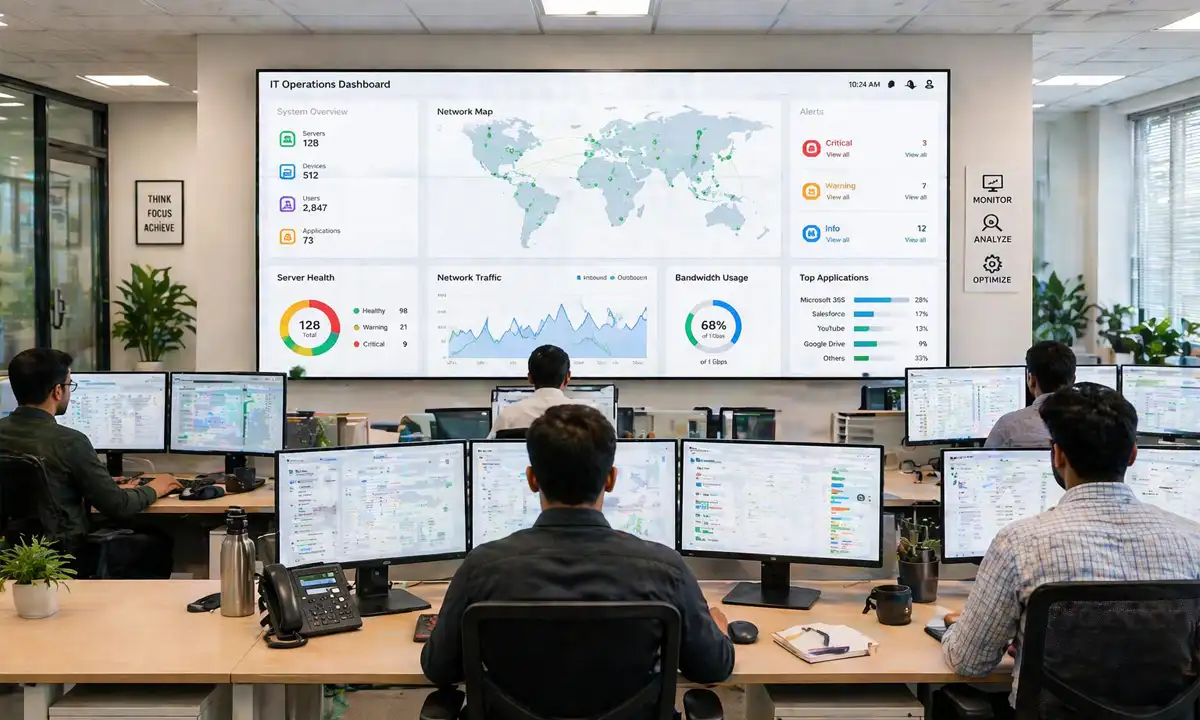
Depending on agreement, managed IT services can cover:
- Desktop & laptop support
- Server management
- Network & Wi-Fi management
- Firewall monitoring & support
- IT infrastructure monitoring
- Operating system updates & patch management
- Endpoint protection
- Backup monitoring
- IT asset management
- Service desk & incident management
- Preventive maintenance
- Remote & onsite technical support
- IT documentation & reporting
- L1, L2 & L3 technical support
The scope is usually customised according to business's infrastructure & support requirements. For example a company with 30 employees need desktop support, network monitoring & basic server administration. A growing organisation with 150 employees, multiple servers & several locations require more comprehensive managed IT arrangement.
The objective is to maintain & manage IT environment through defined responsibilities, processes, support arrangements & service level expectations.
What is in House IT Team?
An in house IT team consists of employees hired directly by organisation to manage its technology requirements. Depending on company's size this team includes:
- IT support executives
- Desktop support engineers
- Network administrators
- System administrators
- IT managers
- Cybersecurity specialists
- IT infrastructure managers
In smaller organisations one IT employee handle several responsibilities, including computer troubleshooting, user support, software installation, network maintenance & vendor coordination. Larger organisations have separate employees or departments responsible for networking, servers, security, applications & IT management.
An in-house team works directly within company's organisational structure & generally reports to internal management. This gives business direct control over employee responsibilities, priorities & day-to-day IT operations. So building a internal team with all technical skills required to manage complex IT environment can be challenging for SMEs.
Managed IT services vs In-House IT team: key differences
Before selecting either model, understand how they differ in terms of resources, costs, expertise, availability & management responsibilities.
| Comparison factor | Managed IT Services | In-House IT Team |
|---|---|---|
| Employment model | External IT service provider | Direct company employees |
| Technical expertise | Access to wider team of specialists, depending on provider scope | Depends on employees hired |
| Cost structure | Contract based recurring service cost | Salaries, benefits, training & other employment costs |
| Infrastructure monitoring | Can included in service agreement | Requires internal tools & assigned resources |
| Support availability | Defined by the provider's SLA | Depends on employee working hours & staffing |
| Scalability | Service scope can adjusted | Require additional recruitment |
| Management | Managed through contract, SLA & reporting | Direct internal supervision |
| Business knowledge | Provider needs onboarding & documentation | Internal employees develop company specific knowledge |
| Specialised skills | May available through different support levels | Requires hiring or training specialists |
| Control | Defined through agreed responsibilities & access | More direct day-to-day control |
No model is automatically better for every organisation. The right choice depends on level of control, technical capability & support coverage your business actually needs.
1. Cost Comparison: Managed IT services vs In-House IT team
Cost is one biggest considerations for SMEs. Hiring internal IT team involves more than paying monthly salaries. Businesses consider complete cost of employment & resources required to support team.
Cost of In-House IT Team
An internal IT department involve following expenses:
- Monthly employee salaries
- Recruitment expenses
- Employee benefits
- Training & certifications
- Leave & backup staffing arrangements
- IT management tools
- Monitoring software
- Endpoint management tools
- Security software
- Hardware & technical equipment
- Additional specialist resources
For example, if organisation hires desktop support engineer, that employee handle everyday technical issues. So the business still need specialised expertise for server administration, network security, cloud infrastructure or cybersecurity assessments. Hiring additional employees to cover every specialised area can increase overall IT operating cost.
Cost of managed IT services
Managed IT services operate through agreed commercial arrangement. Depending on service provider & scope pricing is based on:
- Number of users
- Number of supported devices
- Number of servers
- Network infrastructure
- Locations covered
- Required support hours
- Monitoring requirements
- Onsite support
- SLA commitments
- Cybersecurity & backup responsibilities
An SME can select services it needs instead of hiring separate employees for every technology requirement. So managed IT services are not automatically cheaper in every situation. The total cost depends on infrastructure, service scope & complexity of business.
Which model is more cost effective?
Managed IT services are more cost-effective when SME needs multiple technical skills but does not have enough workload to justify hiring separate full time specialists. An in house team make financial sense when organisation has large & continuous IT workload that requires dedicated employees throughout working day.
Practical recommendation: Compare complete annual cost of internal team with total cost of managed IT agreement. Include salaries, recruitment, tools, training, support coverage, additional projects & service exclusions. Do not compare only one employee's salary with managed services quotation.
2. Technical Expertise & IT Skills
Do not compare only one employee's salary with managed services quotation. Modern IT environments involve several technologies. A business need support for Windows & Linux servers, networking, firewalls, cloud platforms, virtualisation, backups, endpoint security & business applications. One employee not have deep expertise in every area.
Expertise available through In-House team
An internal IT team develops knowledge of company's infrastructure, applications, users & operating processes. This company specific knowledge can valuable when resolving recurring problems or supporting specialised business applications.
So technical capability of internal team depends on skills & experience of employees hired. If company depends on one IT administrator the business face skills gap when employee encounters problem outside their area of expertise.
Expertise available through managed IT services
A managed IT service provider offer access to engineers with different technical specialisations.
Depending on provider's service model this get includes:
- Desktop & end user support
- Network engineers
- Server administrators
- Security specialists
- Cloud engineers
- Infrastructure monitoring teams
- L1, L2 & L3 technical support
This can help SMEs access specialised expertise without recruiting separate employee for every technology area. So businesses should verify provider's actual technical capabilities, certifications, escalation arrangements & experience with technologies they use.
Which is better?
Managed IT services can advantageous when SME needs access to several technical skill sets. An in-house team is more suitable when organisation needs dedicated employees with deep knowledge of its internal systems & business processes.
3. IT support availability & downtime management
When important IT system stops working then employees are unable to access applications, communicate with customers or complete business tasks. Support availability is therefore an important factor when selecting IT management model.
Availability of In-House IT Team
An internal IT employee is generally available according to company's working schedule. If IT problem occurs when that employee is unavailable on leave or handling another critical issue then business need an alternative support arrangement. Larger internal teams can distribute responsibilities & provide better coverage but this requires additional staffing & coordination.
Availability through managed IT services
Managed IT services offer defined support arrangements through service level agreement. Depending on contract, services include:
- Business hours support
- Extended hours support
- Remote technical support
- Onsite assistance
- Infrastructure monitoring
- Incident escalation
- Priority based ticket management
- After hours support for agreed critical issues
It is important to distinguish between 24×7 infrastructure monitoring & 24×7 human technical support. They are different service commitments & should clearly specified.
Which is better?
Managed IT services are useful when business needs support coverage beyond availability of one or two internal employees. An in house team is preferable when employees need continuous physical presence within the office.
4. Cybersecurity & IT Infrastructure protection
Cybersecurity is no longer concern limited to large enterprises. SMEs use business email, cloud applications, employee devices, networks, servers & customer information that need appropriate protection. A security problem can disrupt operations, expose information & create recovery expenses.
Cybersecurity with an In-House team
An internal IT team can manage routine security responsibilities such as:
- Operating system updates
- User access management
- Endpoint protection
- Firewall administration
- Device security
- Password policies
- Security awareness coordination
Then, specialised security requirements need additional expertise, tools & resources.
Cybersecurity with managed IT Services
A managed IT provider get include agreed security activities such as follows:
- Endpoint protection monitoring
- Patch management
- Firewall monitoring
- Network security support
- User access reviews
- Vulnerability identification
- Security incident escalation
- Backup monitoring
Specialised services those are penetration testing, formal security audits, advanced threat monitoring & incident response require separate service scope.
Which is better?
Managed IT services can provide SMEs with access to broader infrastructure & security management capabilities. An internal team can provide direct oversight of business specific security policies. Some businesses benefit from combining both approaches.
5. Scalability as your business grows
An SME's technology requirements can change as it adds employees, opens offices, adopts new applications or moves workloads to cloud infrastructure. The IT management model is able to accommodate this growth.
Scaling an In House IT team
When the organisation grows that need to recruit additional employees. For example business that initially needs one IT support engineer later require separate resources for networking, server management, cloud services & cybersecurity. Recruitment takes time & finding employees with required technical skills are challenging.
Scaling Managed IT Services
With managed services arrangement the business is able to expand its support scope according to changing requirements. This involve bellow points:
- Adding new users & devices
- Supporting additional office locations
- Increasing monitoring coverage
- Adding server & network management
- Expanding cloud support
- Introducing additional security services
- Increasing onsite support requirements
The actual flexibility depends on provider's resources contract terms & pricing model.
Which is better?
Managed IT services offer flexibility when SME expects changing infrastructure requirements. An internal team is preferable when company needs permanent, dedicated IT resources as its operations expand.
6. Management control & business knowledge
Control is important consideration when outsourcing IT responsibilities. Some business owners prefer to manage every technology activity internally while others prefer to assign technical operations to specialised service partner.
Control with an In House team
An internal IT team reports directly to company management. The business can assign priorities, monitor employee performance & coordinate IT activities with other departments. Internal employees develop familiarity with:
- Business applications
- Department workflows
- Internal processes
- Employee requirements
- Company policies
- Technology history
Control with managed IT services
Managed IT services operate through agreed responsibilities & service arrangements. The business need to define:
- Systems covered
- Access permissions
- Support responsibilities
- SLA commitments
- Reporting requirements
- Escalation procedures
- Change management
- Security responsibilities
- Documentation & handover
Outsourcing does not mean giving up all control. A well defined agreement allows organisation to retain ownership of its infrastructure, data, policies & business decisions while assigning specific operational responsibilities to service provider.
Which is better?
An in house team offers more direct day-to-day supervision. Managed IT services work effectively when business establishes clear governance, documentation, access controls & accountability.
7. Employee dependency & business continuity
SMEs depend heavily on IT employee who understands complete technology environment. This create operational risk. If that employee leaves organisation takes extended leave or becomes unavailable, important technical knowledge not immediately accessible to others.
With an In-House IT team
Businesses should maintain bellow:
- IT documentation
- Administrator account records
- Network diagrams
- Asset inventories
- Backup procedures
- Vendor contact details
- Configuration records
- Handover procedures
A larger internal team can reduce dependence on individual, but it requires additional staffing.
With managed IT services
A managed services arrangement can provide access to service team rather than relying on one employee. The provider maintain ticket history, configuration records, documentation & escalation processes according to agreement. So, businesses confirm that documentation & knowledge transfer are included in service scope.
Which is better?
Managed IT services reduce dependency on single internal IT employee, provided service provider has documented processes & appropriate team coverage. Internal teams maintain strong documentation & backup arrangements.
8. Monitoring & Preventive Maintenance
Waiting until employee reports problem can result in reactive IT management. A structured approach includes monitoring infrastructure health & performing preventive maintenance.
In-House monitoring
An internal team can monitor systems using appropriate tools & perform regular checks. So, monitoring responsibilities assigned & employees need time to review alerts, investigate problems & take action.
Managed IT Monitoring
A managed services provider offer centralised monitoring of:
- Server availability
- Network performance
- Firewall status
- CPU and memory usage
- Storage capacity
- Internet connectivity
- Endpoint health
- Backup status
- System alerts
Preventive maintenance get include patch reviews, configuration backups, health checks & regular reporting.
Which is better?
Managed IT services are beneficial when SME needs structured monitoring & maintenance but does not have sufficient internal resources to manage these activities consistently. The business verify which devices are monitored how alerts are handled & what actions are included in the agreement.
9. Accountability & service level agreements
When business hires an internal IT employee, performance & responsibilities are generally managed through internal job descriptions & company policies. With managed IT services, responsibilities documented through service level agreement. An SLA should define:
- Support hours
- Incident priority levels
- Response time commitments
- Escalation procedures
- Remote support arrangements
- Onsite support conditions
- Reporting frequency
- Monitoring responsibilities
- Service exclusions
- Communication procedures
For example a complete server outage treated as critical incident, while routine software installation request receive lower priority. The business distinguish between response time & resolution time. A provider commit to acknowledging or beginning work on issue within defined period without guaranteeing that every issue will resolved within that same period.
Which is better?
Managed IT services provide formal to define service expectations through an SLA. Internal IT teams offer direct employee accountability. Both models need clear responsibilities & performance measurement.
Managed IT services vs In-House IT Team: Which model is suitable for your SME?
The following examples can help business owners understand which approach suit different types of organisations.
| Business situation | Model worth considering |
|---|---|
| Small office with limited IT requirements | Managed IT services or ad-hoc support |
| SME with 20–50 employees & no dedicated IT department | Managed IT services |
| Company with one internal IT employee facing wide range of technical issues | Hybrid or managed IT support |
| Business with complex infrastructure & continuous internal IT workload | In-house IT team |
| Company with multiple offices & network infrastructure | In-house managed or hybrid model depending on scale |
| Business requiring specialised server, cloud & security expertise | Managed IT services or a hybrid model |
| Organisation requiring permanent onsite IT presence | In-house team or resident engineer arrangement |
| Growing SME needing flexible support capacity | Managed IT services |
These are general examples that are not fixed employee count rules. The right model depends on actual technology environment & workload.
What is Hybrid IT Support Model?
An SME does not have to choose between completely internal IT team & fully outsourced IT management. A hybrid IT model combines internal IT resources with an external managed services provider. For example business employ one internal IT coordinator who understands employee requirements & company applications, while external provider manages:
- Server monitoring
- Network management
- Firewall support
- Infrastructure maintenance
- Advanced troubleshooting
- Backup monitoring
- Security management
- L2 & L3 technical escalation
Benefits of Hybrid Model
- Internal knowledge remains available.
- Specialised technical skills can accessed externally.
- Internal employees can focus on business specific requirements.
- Complex infrastructure tasks can handled by experienced specialists.
- Support responsibilities can distributed.
- The service arrangement can adjusted as business grows.
How to calculate Real cost of Both IT Models
Before selecting an IT management model, prepare comparison of total annual cost.
In-house IT team cost checklist
- Employee salaries
- Recruitment expenses
- Employee benefits
- Training & certifications
- Backup staffing
- Monitoring & management tools
- Endpoint & security software
- Infrastructure management tools
- Specialist support requirements
- Additional project costs
Managed IT services cost checklist
- Monthly or annual service fees
- Number of supported users
- Number of covered devices
- Server & network support
- Monitoring services
- Onsite support
- Support hours
- Security & backup scope
- Additional project charges
- Contract renewal & escalation terms
Also consider business impact of downtime, recurring IT problems & delayed technical support. A low cost model not be most economical option if it leaves critical systems without adequate support.
Questions to Ask before choosing managed IT services provider in Pune
If you are considering outsourcing IT management, evaluate provider carefully. Ask following questions before signing an agreement:
- What IT infrastructure & devices do you support?
- Do you provide L1, L2 & L3 technical support?
- Is remote & onsite support available in Pune?
- What are your support hours?
- Do you provide server, network & firewall monitoring?
- Is preventive maintenance included?
- Do you provide endpoint & patch management?
- What are your response & escalation commitments?
- Will we receive regular infrastructure & incident reports?
- What services are excluded from agreement?
Also ask about technical experience, documentation, data access, administrator permissions, backup responsibilities, contract termination & transition support. A reliable IT service provider is able to explain proposed scope clearly & tailor it to your business requirements.
Why choose saiYash Technologies for managed IT services in Pune?
Selecting an IT service partner is important decision because your business depends on its technology environment every day. SaiYash Technologies provides managed IT services & IT infrastructure support for businesses in Pune. Its service capabilities cover infrastructure monitoring, managed data centre services, IT asset management, proactive support, AMC/FMS & L1, L2 & L3 technical support.
Depending on agreed service scope that businesses discuss requirements covering:
- Desktop & laptop support
- Server & storage management
- Network & firewall management
- Infrastructure & performance monitoring
- IT asset management
- Endpoint & patch management
- Backup monitoring
- Preventive maintenance
- Remote & onsite support
- Service desk & incident management
- IT infrastructure reporting
SaiYash also provides related services in network security, cybersecurity audits, cloud integration & data backup & recovery.
A Real managed IT services implementation
SaiYash has published managed IT services case study describing an organisation that was managing its growing infrastructure through an internal team & multiple technology vendors. The organisation faced challenges such as frequent infrastructure incidents, limited monitoring visibility, delayed incident resolution, security & patch management gaps & the absence of standardised preventive maintenance.
SaiYash implemented managed services framework covering infrastructure monitoring, endpoint management, network management, server management, security management, centralised service desk processes, preventive maintenance & monthly reporting. The engagement demonstrates how structured managed services model can help to bring multiple IT responsibilities under a coordinated support framework. You can review managed IT services implementation case study to understand approach in more detail.
The most suitable arrangement for your organisation should still determined through assessment of your users, devices, infrastructure, support hours, business requirements & SLA expectations.
Looking for Managed IT services in Pune?
If your SME is facing frequent IT issues, limited technical resources, infrastructure management challenges or increasing support requirements, its time to review your current IT management model. SaiYash Technologies help you to evaluate your IT infrastructure & discuss suitable managed IT services, AMC/FMS or hybrid support arrangement based on your business requirements.
Contact SaiYash Technologies to discuss managed IT services in Pune & find an appropriate IT support model for your organisation.
Visit SaiYash Technologies to discuss your requirements.
Frequently Asked Questions
Managed IT services can suitable for SMEs that need access to multiple technical skills, infrastructure monitoring & structured support without hiring large internal team. An in house team is better when business requires permanent internal IT resources & direct day-to-day supervision.
The cost depends on number of users, supported devices, servers, network infrastructure, monitoring requirements, support hours, onsite visits & SLA. Businesses should request customised proposal after an assessment rather than relying on single standard price.
In some SMEs managed IT services can handle most or all agreed technical support responsibilities. Other businesses retain an internal IT coordinator for employee assistance, application coordination & vendor management while outsourcing specialised technical work.
Depending on agreement, services get includes like desktop support, laptop support, server management, network monitoring, firewall support, endpoint management, patch management, backup monitoring, IT asset management, preventive maintenance & incident management.
Some managed IT providers offer 24×7 infrastructure monitoring or round the clock support under specific service agreements. Businesses confirm whether continuous monitoring, human technical support & onsite assistance are included along with applicable SLA.
Outsourced IT support is managed securely when appropriate access controls, administrator permissions, confidentiality requirements, security policies, documentation & monitoring are in place. Businesses need to verify provider's security practices before granting access to their systems.
An IT AMC generally defines maintenance & support for specified IT equipment or infrastructure during contract period. Managed IT services can provide broader ongoing management model that include monitoring, incident management, preventive maintenance, asset management, reporting & SLA based support. The actual scope depends on agreement.
Managed IT services can structured around size & requirements of small business. The business can discuss specific systems, users & support responsibilities that need to coverage & evaluate cost against internal staffing & technology expenses.
L1 support generally handles basic user issues & initial troubleshooting. L2 support deals with more complex technical problems, while L3 support involves advanced technical expertise for specialised or complex incidents. The exact responsibilities vary by organisation & service provider.
Compare providers based on technical expertise, infrastructure experience, service scope, support availability, response commitments, onsite support, security capabilities, monitoring, reporting, documentation & customer references. Ensure that all inclusions & exclusions are clearly documented in service agreement.
Plan your new office IT Setup with SaiYash Technologies
A well planned IT infrastructure helps employees to connect, access business applications & work securely from the day & office opens. Before purchasing equipment, define your requirements, plan network, select appropriate computers & applications, establish security & backup measures & decide how ongoing IT support will managed. If you are opening new office, expanding your workplace or setting up branch in Pune then contact SaiYash Technologies to discuss your IT infrastructure requirements.
Contact SaiYash Technologies to discuss your new office IT setup in Pune.